Table of Contents
Order Status Summary
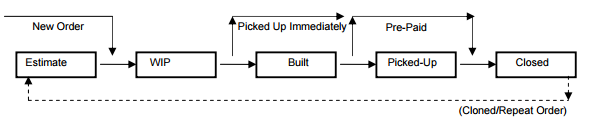
Steps to change the status of an order
- Open the order.
- Click the arrow next to Status on the Right Toolbar to quickly change Order Status.
- Click the Status button itself to open a Payment Entry window.
- From here you can adjust the Status as well as the how_to_utilize_dispositions_in_sms.
Alternatively…
- From the Order Explorer you can also Right-Click an order to adjust its Status.